ZenDaddy
PC + Controller — Aim Assist
AI-powered aim assist that runs entirely on your PC. No Cronus Zen required. The computer vision model detects enemies in real-time and applies the same ATI + DYN pattern engine as the Cronus Zen script — now in software form.
Real App — No Mockups
What GOD AIM Looks Like
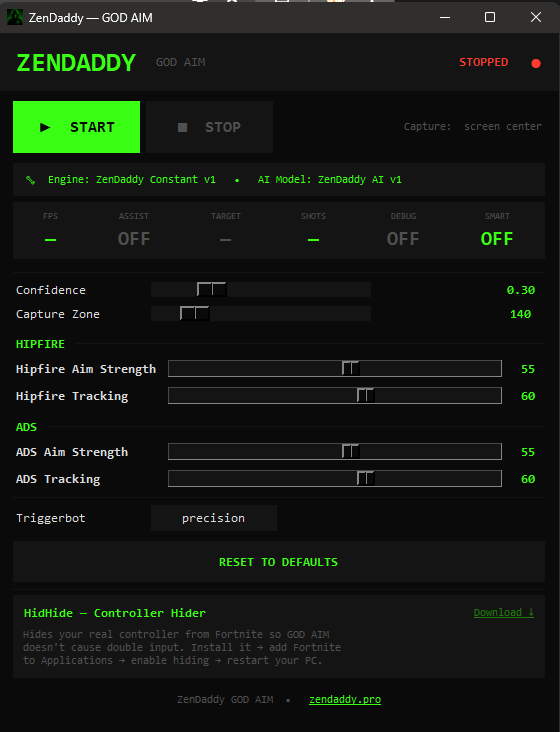
Main panel — adjust everything live
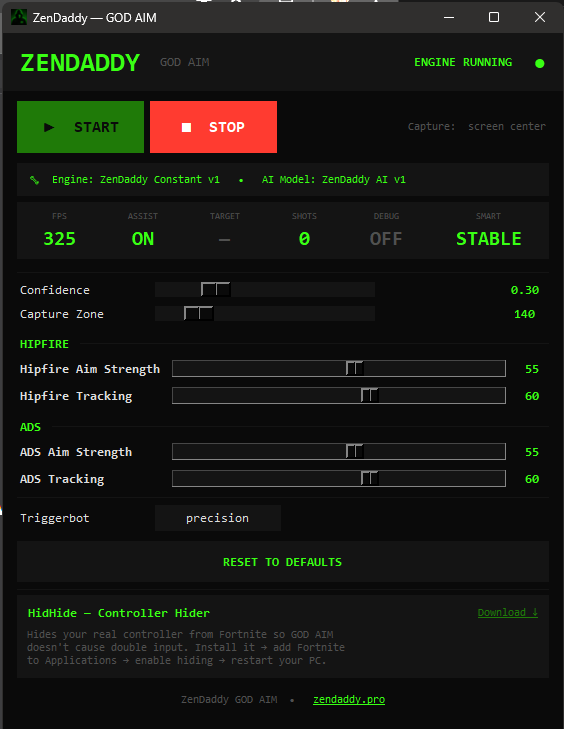
ENGINE RUNNING — 325 FPS · Assist ON · Stable
Choose Your Access Period
All plans include the full app. License key sent by email immediately.
Secure checkout via Stripe · License key by email
What it does
AI Target Detection
Computer vision model trained specifically on Fortnite detects enemies in real-time. Locks onto head or chest with sub-frame precision.
DYN Pattern Engine
Human-like micro-movements cycle through natural patterns — the same engine as the Cronus Zen script. Aim assist stays active without looking robotic.
Silent Aim & Triggerbot
Smooth glide-based aim correction with configurable precision trigger. Natural-looking, undetectable input behavior.
Machine-Locked License
Your license key is bound to one PC after first use. Keys cannot be shared or resold. Server-verified on every launch.
Live Settings Panel
Adjust tracking strength, confidence, FOV, pull scale, sticky zone and more from a clean desktop UI without restarting.
Auto-Update Engine
The app checks for updates on every launch and applies them automatically. You always run the latest version.
Minimum System Requirements
AMD GPUs are partially supported via ONNX fallback — NVIDIA recommended for best performance.
How it works
Choose a plan
Pick 3d, 7d, 30d, 1y or lifetime. License key emailed instantly.
Install
Download, extract the ZIP, run install.bat once to set up.
Activate
Open the app, enter your license key. Bound to your PC.
Play
Select your game window, set your settings, hit START.
Frequently Asked Questions
How do I get my license key after purchase?
Your license key is emailed to you immediately after payment is confirmed. Check your inbox (and spam folder). Open the app, enter your key in the activation screen, and you are ready to go.
What happens when my access period ends?
The app checks your license online at every startup. When your plan expires, the app will show a renewal prompt and stop working until you purchase a new access period at zendaddy.pro/pc-script.
Can I use it on more than one PC?
No — your key is bound to the first PC it is activated on. If you need to transfer to a new PC, contact us on Discord and we will handle the transfer.
Do I need a Cronus Zen for ZenDaddy PC + Controller?
No. ZenDaddy PC + Controller is a software-only Windows application. You only need a PC and a controller. No Cronus Zen, Titan Two or any external device is required.
What controllers are supported?
Any USB or Bluetooth controller that Windows recognizes — PlayStation 4, PlayStation 5 DualSense, Xbox One, Xbox Series X/S, and generic XInput controllers.
Is an NVIDIA GPU required?
Yes. The AI model runs via TensorRT which requires an NVIDIA GPU (GTX 1050 or better). An ONNX fallback is included but NVIDIA gives the best performance.
What is the difference between ZenDaddy PC + Controller and ZenDaddy Cronus Zen?
ZenDaddy Cronus Zen runs on a Cronus Zen hardware device and works on PS4, PS5 and Xbox consoles. ZenDaddy PC + Controller is a Windows application — no extra hardware needed. Both use the same ATI+DYN aim engine.
ZenDaddy PC + Controller is ready.
Pick your plan. License key delivered by email. Start playing in minutes.
CHOOSE A PLAN ↑Need help? Join our Discord for instant support.
Also available
ZenDaddy Cronus Zen — Console Script — €39.99